Sell
Find it, tap it, take the money. The till works the same on every screen you own.
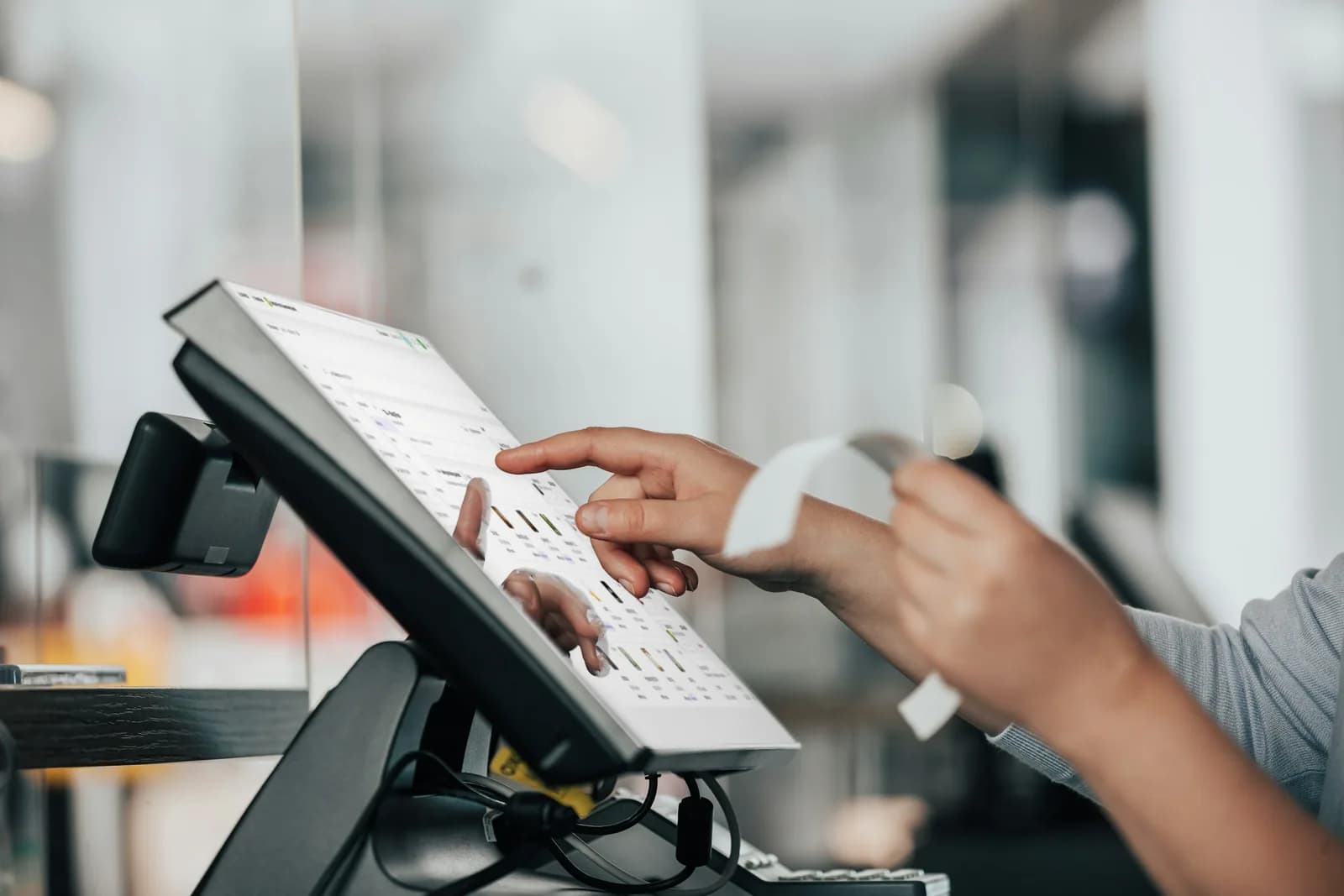
Make a sale
- 1Open the till. If your business asks for it, clock in first.
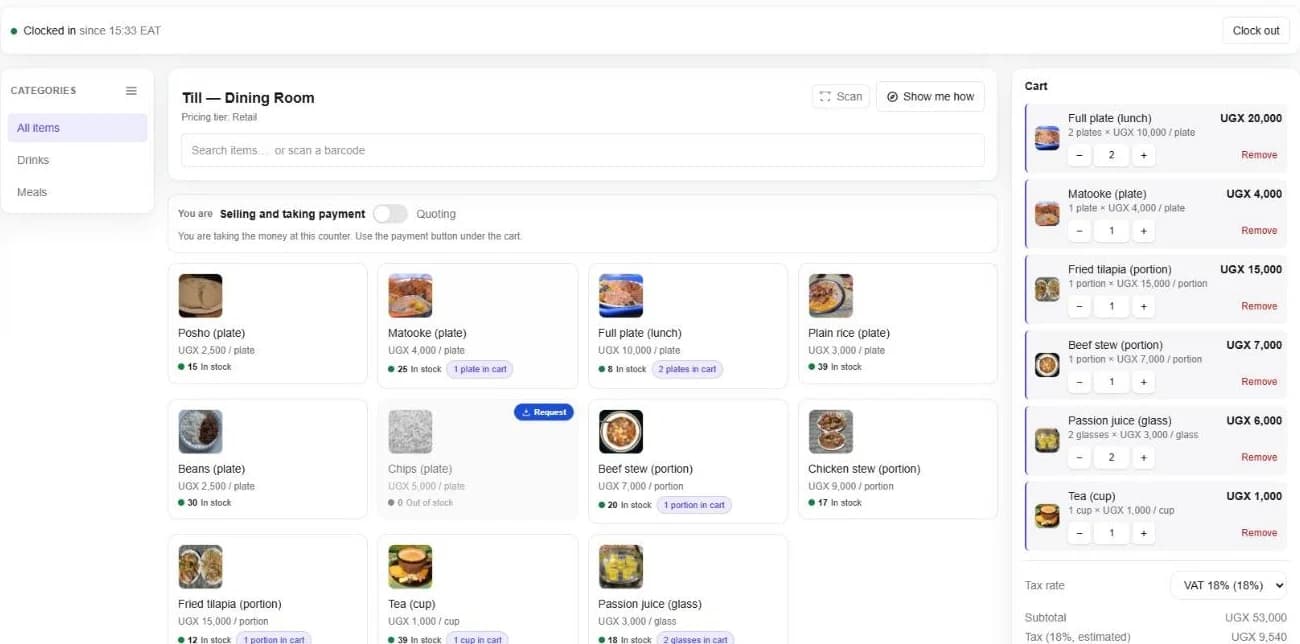
- 2Tap items to add them, or search. A barcode scanner works with no setup. It types the code and the item is added.
- 3Change a quantity with − and +. Items sold in packs ask which pack.
- 4Press Proceed to payment and choose how they are paying.
Sell from your phone
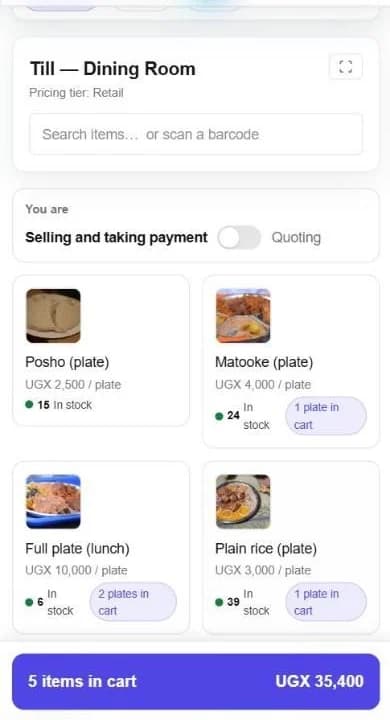
The same till fits a phone. The cart waits at the bottom of the screen, with the number of items and the total.
Good to know. No barcode scanner? Your phone's camera can scan for the till.
Prices that follow your rules
- Price tiers, such as retail, wholesale or your own, set the price for each kind of customer.
- Quantity breaks lower the price when someone buys more.
- The final price is confirmed when the sale is saved, so it always follows your price list.
- A sale can go without VAT only with the permission to approve it.
Write a quote for the cashier
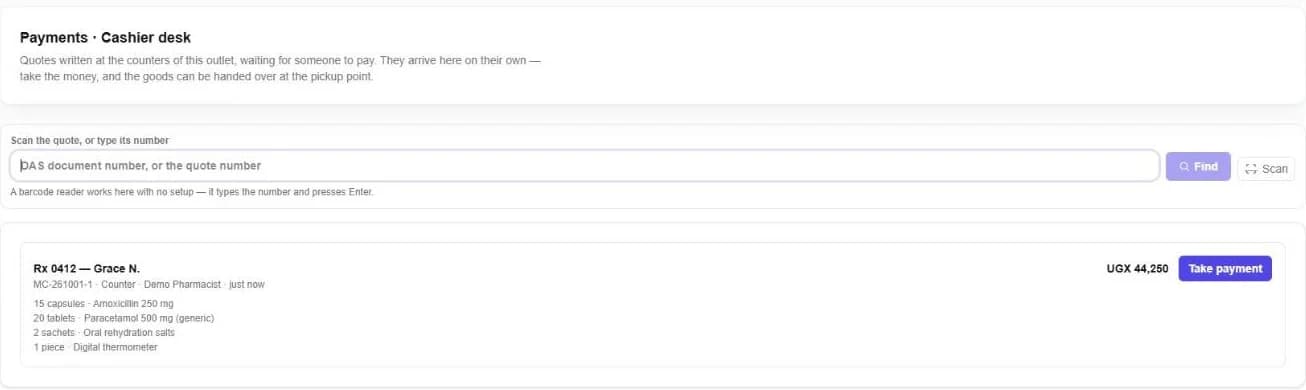
In a pharmacy or a busy shop, one person serves and another takes the money.
- 1At the counter, switch the till from Selling to Quoting.
- 2Add the items, name the quote (for example, the customer's name) and press Send quote to cashier.
- 3It arrives at the cashier desk on its own, waiting to be paid. The goods are handed over once it is.
Send orders to the kitchen
In a restaurant or bakery, each order goes to the station that makes it, such as the kitchen, the bar or the bakehouse, and the counter sees when it is ready. Restaurants can keep open tabs for tables.
Cancel a sale
A void above your limits waits for someone allowed to approve it. They approve or refuse it with a reason, and the decision stays on record.
Still stuck? Ask us.