Take payment
However they pay, the sale records how, and the proof.
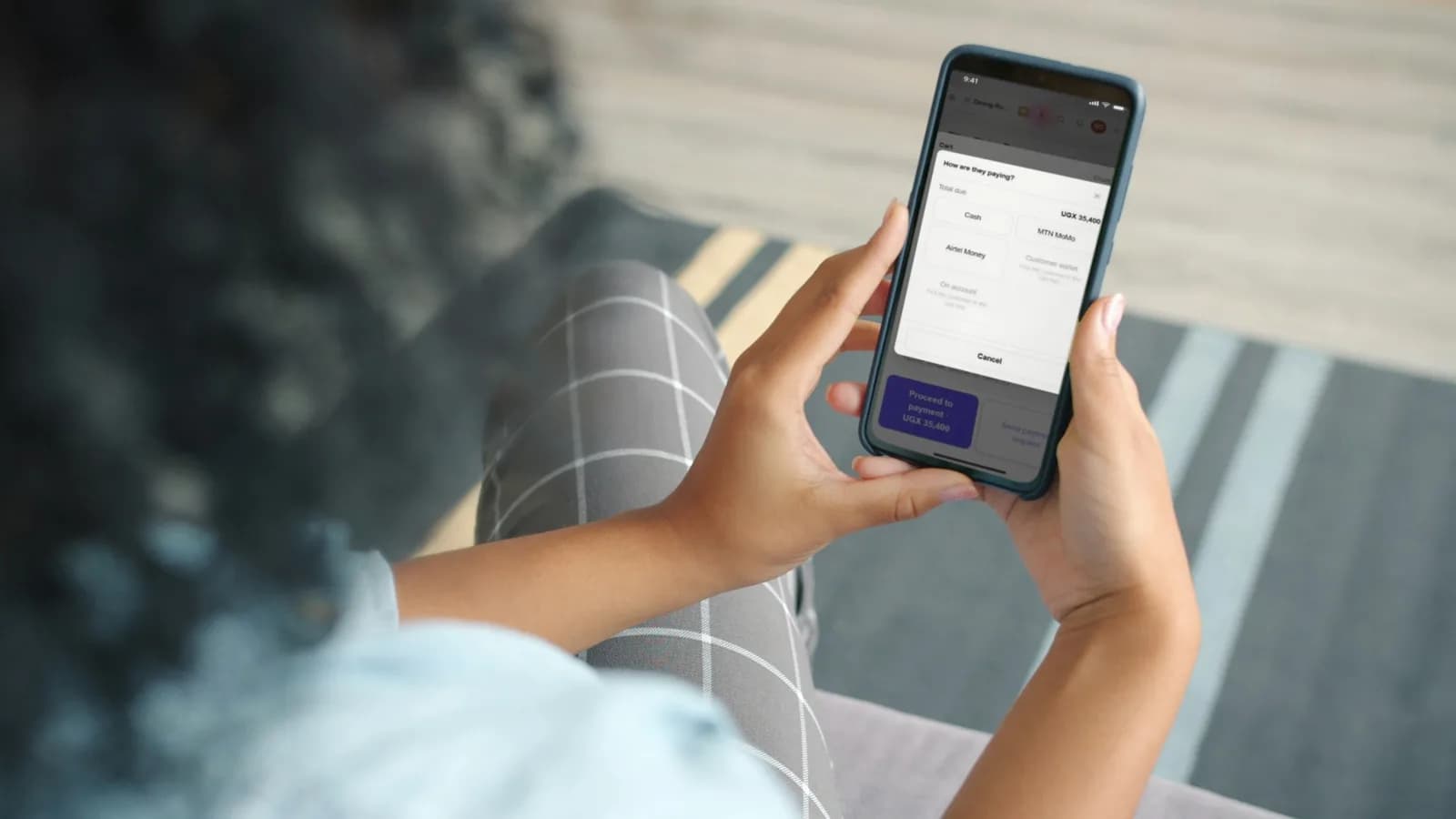
The ways your customers can pay
- Cash: type what they handed over and the change is worked out.
- MTN MoMo and Airtel Money: they pay on their phone and you type the transaction ID from their message. The two are kept apart, so your reports show each one.
- Card: they pay on your own card machine and you type the approval code from the slip. DAS POS records the card payment; your machine and your bank process it.
- App Pay: the customer pays from the balance in their own DAS POS app, money they have put with you in advance.
- On account: the customer pays later, and it is added to what they owe.
Good to know. Wallet and On account need the customer picked in the cart first.
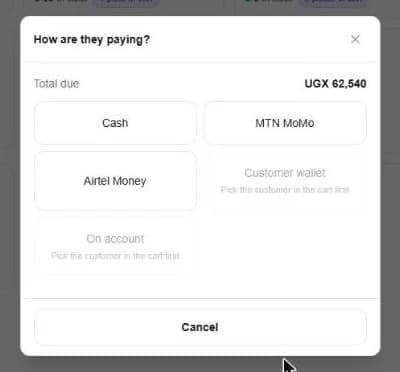
Take a payment
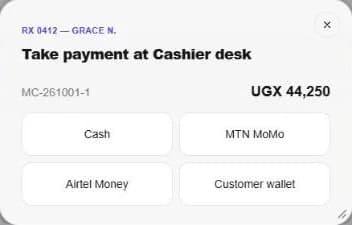
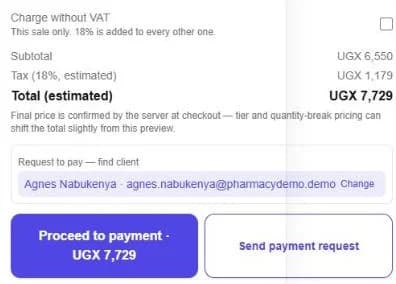
- 1Press Proceed to payment, or Take payment at the cashier desk.
- 2Choose how they are paying.
- 3For MoMo, Airtel Money or card, type the transaction ID or approval code.
- 4The receipt opens. Print it, email it or download it.
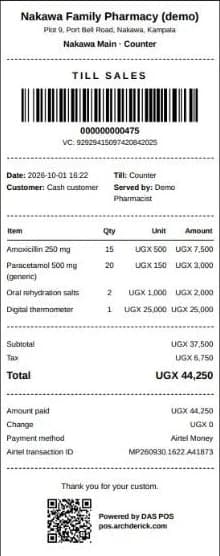
Receipts
Every receipt carries your name and branch, who served, how it was paid and the transaction ID, with a barcode and a QR code anyone can check. It prints on an 80 mm thermal printer.
Ask a customer to pay from their phone
Send the bill to a customer's own app. They approve it there, and the sale is paid from their wallet.
- 1Add the items, then find the customer under Request to pay.
- 2Press Send payment request.
- 3They see it in their app and press Approve. Your screen shows it paid.
Show only the ways you take
In Settings, switch on only the payments your business accepts. The till offers nothing else.
Hand over the cash
When cash changes hands, at the end of a shift or to the office, record the handover. The person receiving confirms it, or disputes it with a reason.
Still stuck? Ask us.