Customers and their app
Your regulars get their own app. They see what they owe, top up, and approve payments from their phone.
Add a customer
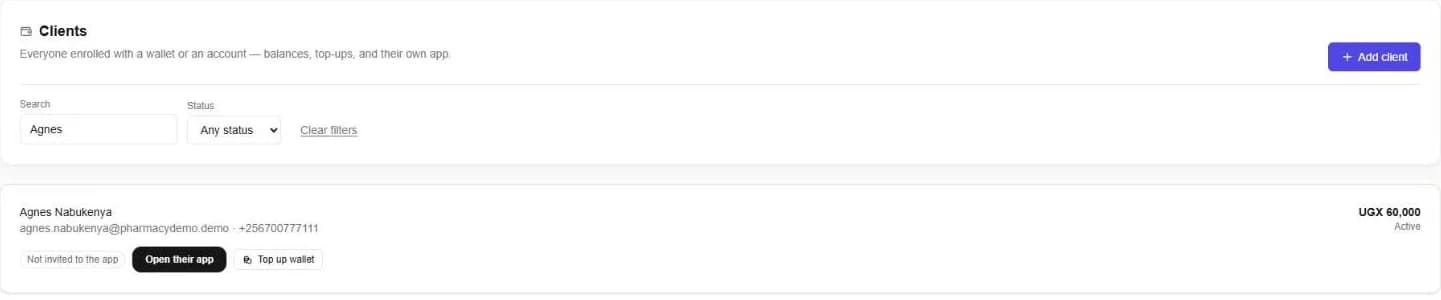
- 1Open Clients and press Add client.
- 2Give their name, email and phone.
- 3Top up their wallet if they are paying in advance, or let them buy on account.
Invite them to their app
Press Invite to the app on a customer, or invite everyone not yet invited at once. They sign in with a link sent to their email, with no password to remember.
What your customers see
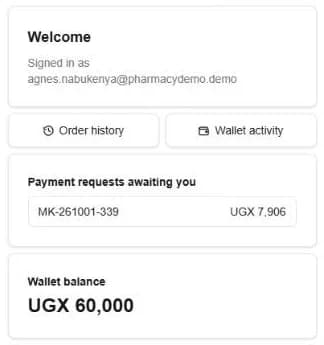
- Payment requests waiting for them, to approve or decline.
- Their wallet balance, and every top-up and spend.
- Their order history.
- Top up the wallet with MTN MoMo or Airtel Money.
Approve a payment
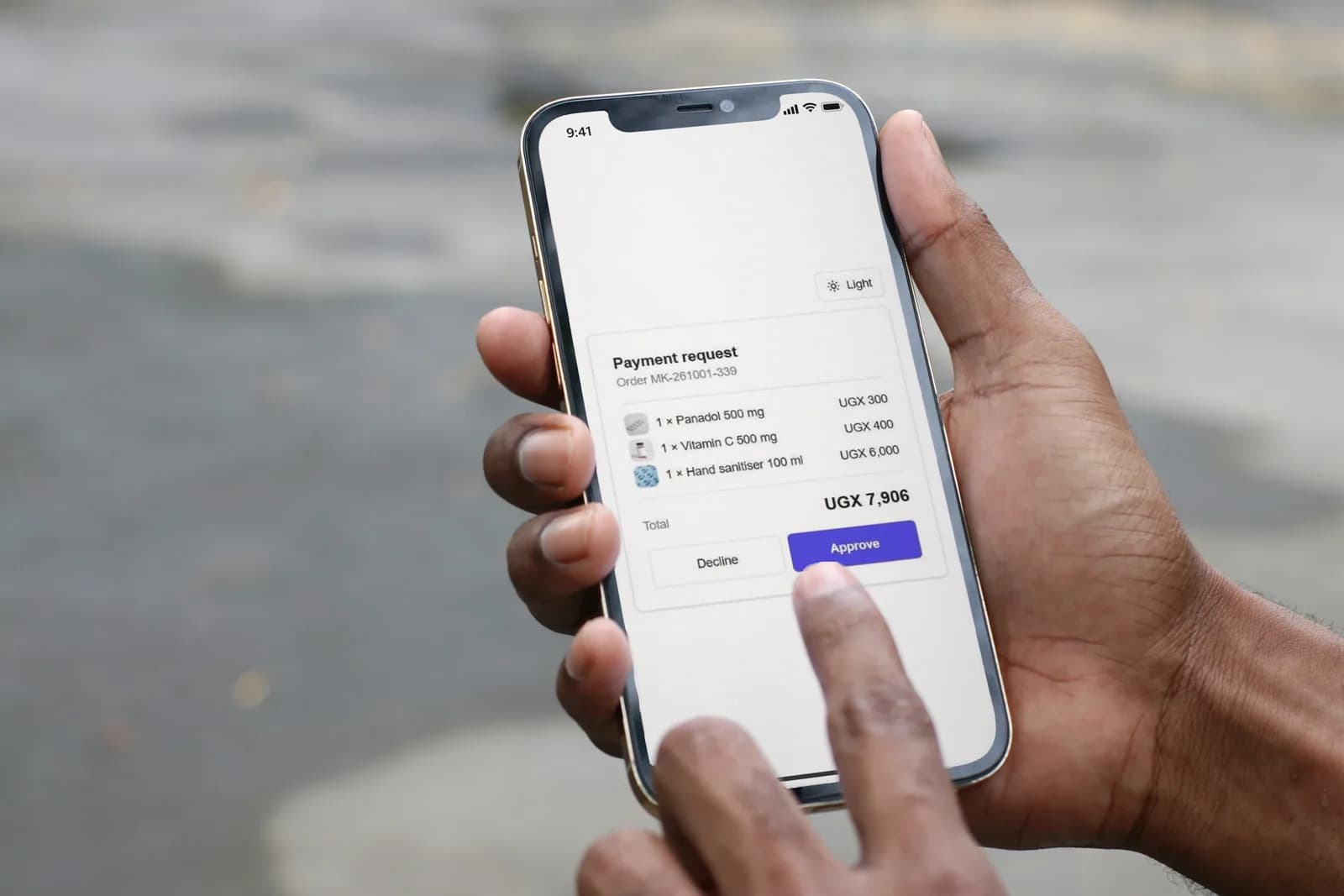
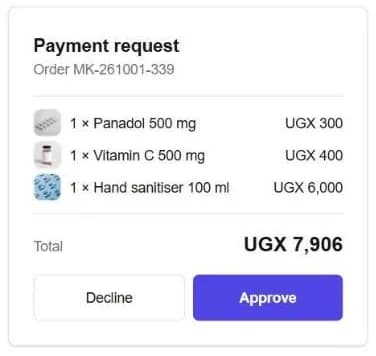
When you send a payment request, the customer sees each item and the total. One tap approves it.
Know what they owe
Sales on account add to a customer's balance. Statements list every invoice and payment, and the reports show who owes what, and for how long.
Still stuck? Ask us.